Contents
Replacing practice management software can solve years of frustration. It can also create new problems if the firm moves incomplete records, broken links, duplicate contacts, or incorrect balances into the new system. A careful legal data migration plan reduces those risks.
The process involves much more than exporting a spreadsheet and importing it elsewhere. A firm must decide what to move, clean the records, map each field, protect confidential information, test the results, train users, and confirm that daily work can continue. This guide explains each stage and gives small firms a checklist they can adapt to their own needs.
If your firm is still comparing systems, begin by choosing legal practice management software that supports your workflows, data types, security needs, and reporting requirements. Migration planning should begin before the final purchase, not after it.
What Legal Data Migration Really Includes
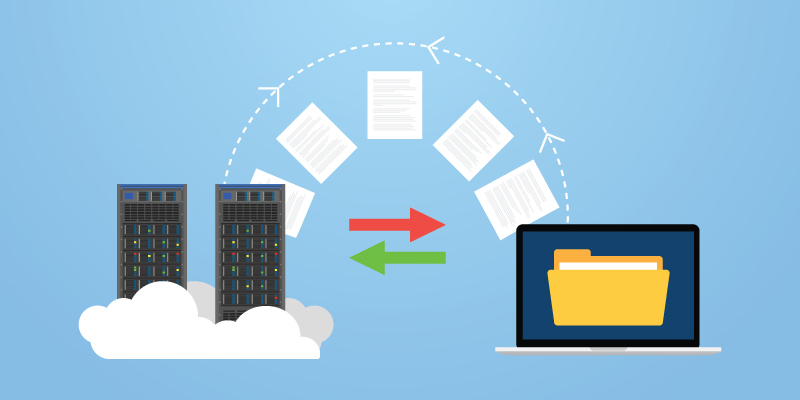
Legal data migration is the controlled movement of information from one system to another. The goal is not simply to copy files. The new system must preserve the meaning, relationships, security, and practical use of each record.
A client name without the related matters is incomplete. A matter without its documents, deadlines, notes, time entries, and billing history may be unusable. A document moved without its date, author, version, or matter link can lose important context.
Build a complete data inventory
Start by listing every place where the firm stores information. The old practice platform may be only one source. Relevant data may also sit in:
- contact and lead databases;
- shared drives and personal folders;
- email inboxes and archived mailboxes;
- calendars and task applications;
- accounting and payment systems;
- document automation tools;
- intake forms and website databases;
- spreadsheets maintained by individual staff; and
- external storage or backup services.
For each source, record the owner, format, approximate volume, sensitivity, retention needs, and planned destination. This inventory gives the project team a clear scope. It also exposes unofficial systems that may otherwise be missed.
Preserve relationships, not only records
The value of practice management software comes from connections. Contacts link to matters. Matters link to documents, events, tasks, bills, trust transactions, and communications.
A sound legal data migration keeps those connections intact. Field mapping should show how each source record will appear in the new system and how related records will remain linked. The plan should also explain what happens when the new platform has no direct match for an old field.
Set the Rules Before Moving Any Data
Legal data migration becomes difficult when people make decisions during the final import. Set the rules early and document them in one shared plan.
Name one accountable project owner
A small firm does not need a large committee, but it does need clear ownership. One person should approve scope, coordinate vendors, track decisions, and decide whether the firm is ready to proceed.
The owner should consult the people who understand each record type:
- a lawyer or practice lead for matter workflows;
- an administrator for contacts, users, and permissions;
- billing staff for time, invoices, expenses, and accounts receivable;
- the person responsible for trust records;
- an IT or security adviser when needed; and
- representative users who will test daily tasks.
Write down who can approve field mappings, data cleanup, test results, cutover, and final acceptance. Clear authority prevents last-minute confusion.
Define what “successful” means
A legal data migration needs measurable acceptance rules. “The data looks right” is too vague.
Success criteria may include:
- all active matters are present;
- required contacts are linked to the correct matters;
- selected documents open and match their originals;
- future deadlines and appointments appear on the correct calendars;
- open time, expenses, invoices, and balances match approved source reports;
- trust information matches reviewed reconciliation records;
- user roles limit access as intended;
- agreed document metadata has been preserved;
- approved workflows and templates work; and
- staff can complete their main tasks without returning to the old system.
Set these rules before the test import. They become the basis for acceptance or rejection.
Decide what will not move
More data is not always better. Old duplicates, empty contacts, expired leads, test matters, former-user accounts, and obsolete templates can make the new platform harder to use.
Review retention duties, litigation holds, client agreements, and local professional rules before excluding or deleting anything. The decision should involve the appropriate lawyer and records professional. Data that will not enter the new platform may still need a secure, searchable archive.
Clean and Map the Source Data
Poor source data does not improve during legal data migration. It moves faster.
Data cleaning and mapping often take more judgment than the technical import. The American Bar Association’s cloud migration guidance recommends planning for data cleaning, secure transfer, and data integrity rather than treating implementation as a simple software setup.
Clean records before the test import
Create cleanup rules that staff can apply consistently. Common tasks include:
- merging confirmed duplicate contacts;
- standardizing names, phone numbers, addresses, and date formats;
- closing stale matters after lawyer review;
- removing clearly marked test records;
- assigning an owner to unassigned matters;
- correcting missing practice areas or matter statuses;
- identifying broken document links;
- reviewing former staff accounts; and
- separating records that require special handling.
Keep a log of material changes. If the team combines contacts or changes a matter status, the project owner should be able to explain why.
Map Legal Data Migration Fields
Field mapping shows where every item will go. It is one of the most important parts of legal data migration.
For each source field, record:
- the source system and field name;
- the destination field;
- the data type;
- any transformation rule;
- whether the field is required;
- how blank or invalid values will be handled;
- how related records will connect; and
- who approved the mapping.
Pay special attention to custom fields. A litigation firm may track limitation dates, opposing counsel, experts, or court file numbers. An immigration firm may track application types and expiry dates. Those fields often drive searches, documents, reports, and automation after launch.
Protect document meaning and history
Documents need more than filenames. Decide whether the firm must preserve folder paths, created and modified dates, authors, versions, document types, matter links, and access restrictions.
Avoid changing original files simply to make the import easier. Keep a controlled source copy and record any conversion. If the new platform uses a different folder structure, map the old structure to a clear legal document management strategy before moving the files.
Protect Confidentiality and Security
During legal data migration, information may exist in the source system, temporary files, transfer tools, test environments, and the destination platform. Each copy needs protection.
In the United States, ABA Model Rule 1.6(c) says lawyers must make reasonable efforts to prevent unauthorized access to or disclosure of client information. Comment 8 to Model Rule 1.1 also addresses the benefits and risks of relevant technology. These are model rules, so firms must confirm the duties that apply in their own jurisdiction.
Apply security controls to the whole process
A secure legal data migration plan should address:
- who can export, download, transfer, test, and approve the data;
- how transfer files will be encrypted;
- where temporary copies will be stored;
- whether multifactor authentication is required;
- how access and changes will be logged;
- when temporary files will be deleted;
- how vendors and subcontractors handle the information;
- how an incident will be reported; and
- who confirms final deletion from temporary locations.
Use individual accounts rather than shared credentials. Grant only the access each person needs. Remove temporary access when that stage ends.
The NIST Cybersecurity Framework 2.0 organizes risk work around six functions: Govern, Identify, Protect, Detect, Respond, and Recover. A firm can use that structure to check whether its migration plan covers leadership, asset inventory, safeguards, monitoring, incident response, and recovery.
Keep a verified backup and rollback path
Do not rely on the migration files as the only backup. Preserve a protected source copy before the final export. Confirm that the backup can be restored and that the firm knows who can authorize recovery.
NIST’s CSF 2.0 overview guidance recommends regular backups, testing restoration, and checking the integrity of recovery assets. For legal data migration, the same discipline supports a rollback plan if the final import fails or produces unreliable records.
A rollback plan should state:
- which system remains the official record during each stage;
- when users must stop changing the old system;
- how new work will be recorded if cutover is delayed;
- how the firm will restore access to the old environment; and
- who decides whether to pause, retry, or reverse the change.
Follow a Five-Stage Legal Data Migration Checklist
Breaking the project into stages makes problems easier to detect and correct.
1. Discovery and scope
Complete the data inventory, ownership plan, retention review, acceptance rules, and security review. Confirm what the vendor can import and which items need manual work.
Ask for a written migration scope. It should identify included sources, record types, date ranges, attachments, metadata, custom fields, financial records, testing rounds, and exclusions. Do not assume that “documents” includes versions or that “billing” includes every transaction type.
2. Test migration
Run a test with a representative sample. Include simple and complex matters, different practice areas, documents with unusual names, custom fields, future deadlines, former staff ownership, billing arrangements, and restricted records.
The legal data migration test should use the planned mapping and security controls. It should not be a product demonstration with hand-picked clean data.
Record every issue in one log. For each problem, note the source record, expected result, actual result, cause, owner, fix, and retest outcome.
3. User acceptance testing
Technical counts are necessary, but users must also confirm that the new system supports real work.

Legal Practice Management Software vs. Case Management: What Your Firm Actually Needs
Ask testers to complete common tasks:
- find a client and open the correct matter;
- locate the latest document;
- review a matter timeline;
- check a future deadline;
- enter time and an expense;
- prepare a draft bill;
- review permissions on a restricted matter;
- search by a custom field; and
- run an agreed report.
Legal data migration acceptance testing should cover different roles. A lawyer, assistant, administrator, and billing user may see different parts of the same record.
4. Final cutover
Choose a period with fewer deadlines and billing pressures when possible. Tell staff when the old system becomes read-only, when the final export begins, and where they should record urgent work.
The final legal data migration cutover should follow a written runbook. Include the order of exports, imports, checks, approvals, communications, and fallback steps. Record the start and end of each action.
Do not open the new system to everyone until the required validation checks pass. A delayed launch is inconvenient, but an uncontrolled launch can spread incorrect data through new work.
5. Post-go-live validation
Legal data migration does not end at cutover. Check the new platform after real users begin working.
Review record totals, linked documents, future dates, permissions, billing data, and search results. Track user reports in the same issue log used during testing. Set dates for a first-day review, first-week review, and first billing-cycle review.
Keep the old system available in a controlled, read-only form until the firm has met its acceptance, retention, and contractual requirements.
Give Financial and Trust Records Separate Attention
Financial records make legal data migration more sensitive than an ordinary contact import. A missing note is a problem. An incorrect client balance can affect billing, collections, reporting, and client communication.
Reconcile before and after migration
Before moving financial records, produce approved source reports for:
- unbilled time and expenses;
- draft and final invoices;
- accounts receivable;
- client credits and retainers;
- payment allocations;
- write-offs and adjustments;
- tax amounts where relevant; and
- trust balances and client ledgers.
Decide whether the new system will hold full history, opening balances, or a defined combination. Document the decision so future reports are understood.
After import, compare destination reports with the approved source reports. Investigate every unexplained difference rather than forcing totals to match through a general adjustment.
Treat trust data as a controlled workstream
Trust requirements differ by jurisdiction. The lawyer responsible for the account and the firm’s qualified accounting professional should approve the process.
Do not move unreconciled trust data into a new system. Complete the required source reconciliation first, preserve the supporting reports, test the destination setup, and reconcile again after import. Confirm that client-level trust ledgers remain connected to the correct matters.
This part of legal data migration may require a different schedule from contacts and documents. That is acceptable. A phased financial transition can be safer than forcing every record type into one cutover.
Reduce Downtime and Help Staff Adopt the New System
Even accurate data can feel “missing” if users do not know where to find it. Legal data migration training and communication belong inside the plan.
Train by role and task
Do not begin with a tour of every menu. Show each group how to complete the work they perform most often.
Lawyers may need matter search, document access, time entry, and calendars. Assistants may need intake, tasks, document workflows, and client communication. Billing staff need invoices, payments, trust functions, and reports. Administrators need users, roles, templates, and audit tools.
Provide short guides for the first week. Include where to get help and how to report a data issue without creating duplicate records.
Communicate the source-of-truth rule
Staff must know which system is authoritative at every point. If some users keep updating the old system after the final export, the destination will immediately become incomplete.
State the freeze time in writing. Explain how urgent changes will be captured during the transfer. After launch, restrict the old platform to read-only access for approved users.
A related legal CRM transition checklist can help teams plan how leads, intake forms, statuses, follow-ups, and contact ownership will work after the move.

Best Practices for a Reliable Migration
The following legal data migration practices improve control without making a small-firm project too complex:
- Start early. Include migration questions during software selection and contract review.
- Keep one decision log. Record scope changes, mappings, exclusions, approvals, and open risks.
- Use representative test data. Include unusual records and difficult workflows, not only clean examples.
- Reconcile critical totals. Compare source and destination reports using agreed dates and definitions.
- Test permissions. Confirm what each role can and cannot see.
- Protect temporary copies. Encrypt them, limit access, and delete them under a documented process.
- Plan rollback before cutover. Do not design recovery while the system is unavailable.
- Train for daily work. Focus on the tasks each role must perform on launch day.
- Keep support available. Give staff a clear way to report urgent issues.
- Review after launch. Validate the system again after the first week and first billing cycle.
These controls turn legal data migration into a managed project rather than a one-time upload.
Common Legal Data Migration Mistakes
Moving everything without review
Importing all historical data can bring duplicates, obsolete templates, inactive accounts, and inconsistent fields into the new system. Review the scope and preserve excluded records properly.
Skipping the test migration
A final import should not be the first time the firm sees its data in the new platform. Test mappings, relationships, permissions, documents, and reports first.
Checking totals but not meaning
Ten thousand imported contacts may match the source count while still containing broken names, missing matter links, or incorrect ownership. Test both quantity and quality.
Ignoring financial definitions
Two systems may calculate work in progress, taxes, credits, or aging differently. Agree on definitions before comparing reports.
Treating launch day as completion
Some issues appear only after users search, bill, report, and collaborate in the new environment. Continue validation through normal work cycles.
Leaving ownership unclear
When no one can accept or reject the result, unresolved issues get carried into production. Name the decision-makers at the start.

Frequently Asked Questions
What is legal data migration?
It is the planned transfer of law firm information from one system to another while preserving its accuracy, relationships, security, and practical use. It may cover contacts, matters, documents, tasks, calendars, communications, billing, trust records, templates, and permissions.
How long does a law firm software migration take?
There is no reliable standard timeline. The schedule depends on data volume, source quality, custom fields, financial complexity, document history, vendor support, testing rounds, and staff availability. Ask for a written plan based on your actual scope.
Should a firm migrate every closed matter?
Not always. The firm should review retention duties, litigation holds, client terms, search needs, costs, and archive options. A secure, searchable archive may be appropriate for some closed records. Confirm the rules in your jurisdiction before excluding data.
How can a firm check whether migrated data is accurate?
Compare source and destination record counts, sample individual matters, open documents, test searches, review future deadlines, confirm permissions, and reconcile financial reports. Use written acceptance rules and record the results.
What happens to the old software after cutover?
Many firms keep controlled read-only access for a defined period. The final decision should consider retention rules, the vendor contract, export rights, unresolved issues, and the firm’s archive plan. Do not cancel access until required records and reports are verified.
Who should approve a legal data migration?
The firm should name one accountable owner. Lawyers responsible for matters, administrators, billing staff, the person responsible for trust records, and security or IT advisers should approve the areas they understand. Final authority should be documented before cutover.
Can a firm migrate data without outside help?
A simple contact import may be manageable internally. Complex matter relationships, document history, custom fields, billing, trust records, or multiple source systems may require vendor or specialist support. The firm remains responsible for defining scope, testing results, and protecting client information.
Conclusion
A successful legal data migration preserves more than files. It preserves the links, context, permissions, balances, and workflows that let a firm serve clients each day.
Start with a full inventory and clear ownership. Clean and map the data, protect every copy, test with real work, prepare a rollback path, and validate the result after launch. The safest migration is not the fastest import. It is the one the firm can explain, test, and trust.
Recommended RunSensible Features
- Integrated matter management: RunSensible Execute connects contacts, matters, documents, calendars, tasks, time, billing, and accounting. During planning, this helps a firm map related data into one working environment rather than treating each record type as a separate destination.
- Document management: RunSensible’s legal document management supports centralized document organization. This is relevant when a firm redesigns folder structures, access, and matter links during migration.
- Legal accounting and trust accounting: Integrated financial tools help firms keep billing and trust information connected to the correct client and matter. Financial migration still requires careful reconciliation and review under the firm’s local rules.
- Task and workflow tools: Standard task lists can help the firm rebuild repeatable processes after launch instead of carrying informal reminders and personal checklists into the new system.
Call to Action
Before selecting a new platform, ask for a written migration plan based on your firm’s actual systems, record types, and financial needs. RunSensible offers migration planning support for firms evaluating a move to its integrated practice management platform.
Resources
Disclaimer: The content provided on this blog is for informational purposes only and does not constitute legal, financial, or professional advice.