Contents
Law Firm CRM Data Cleanup: Remove Duplicates, Fix Stale Leads, and Protect Your Pipeline
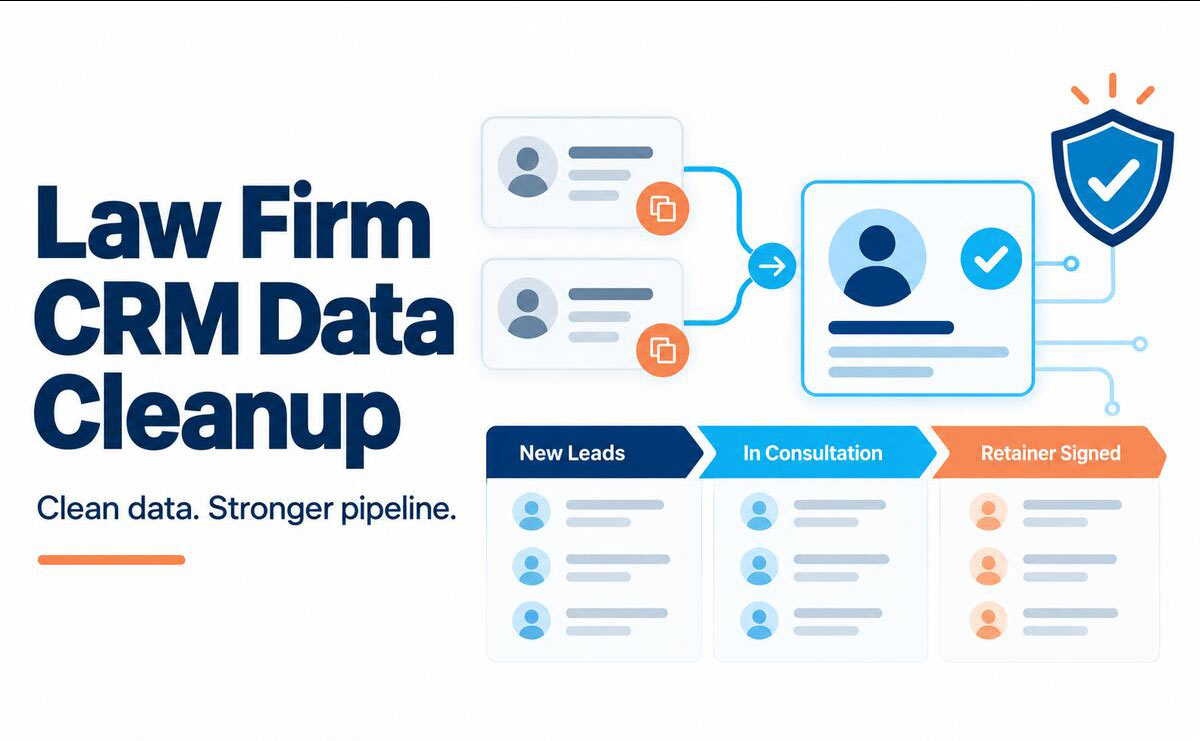
A CRM can look busy while hiding a weak pipeline. The same prospect may appear three times. A consultation from six months ago may still sit in “New Lead.” One record has the right phone number, another has the useful notes, and a third owns the email history. Staff stop trusting reports, follow-ups become uneven, and conflict searches may miss important names.
Law firm CRM data cleanup fixes those problems, but it is not ordinary database housekeeping. Legal records can contain confidential facts, prospective-client information, adverse-party names, marketing consent, and matter history. A careless merge can erase context. A bulk deletion can remove information the firm needs for a later conflict check. The goal is therefore not the smallest possible database. It is a reliable, searchable, and defensible source of truth.
This guide gives law firms a practical way to audit records, merge duplicates, resolve stale leads, repair the pipeline, and prevent the same clutter from returning. It is operational guidance, not legal advice. Apply the retention, privacy, and professional-conduct rules that govern your firm and jurisdiction.
Why CRM Data Gets Messy in Law Firms
Most CRM problems begin with normal work. A person submits a website form, calls the front desk, books a consultation, and later emails a lawyer directly. If those channels create separate records, one human becomes four contacts. Imports from old systems add another layer. Free-text fields turn “Personal Injury,” “PI,” and “Injury Claim” into three practice areas. Departing employees leave ownerless leads behind.
Legal services add more complexity. One person may be a prospect in one matter, a witness in another, a former client in a third, and an adverse party elsewhere. Spouses may share an email address. A company contact may use a general office phone number. An intake may include aliases, related entities, family members, or opposing parties that are vital to a conflict search but should not be treated as marketing contacts.
This is why law firm CRM data cleanup must consider roles and relationships, not just matching fields. The record that looks redundant to a generic deduplication tool may carry a distinct legal meaning.
Common warning signs include:
- Duplicate records with slightly different names, emails, or phone formats
- Leads with no owner, source, practice area, status, or next action
- Open opportunities with no activity for weeks or months
- Contacts attached to the wrong matter or household
- Invalid email addresses and disconnected phone numbers
- Notes stored in private inboxes instead of the shared record
- Old imports that use different tags and stage names
- Closed or disqualified leads still receiving automated messages
- Dashboards whose totals do not match what staff see in daily work
When these issues pile up, staff create spreadsheets and personal reminders to work around the CRM. That makes the database even less complete. A structured law firm CRM data cleanup breaks that cycle.

What “Clean” CRM Data Actually Means
Clean data is not merely data without duplicates. A healthy legal CRM has six qualities:
- Unique: Each person or organization has one authoritative profile, unless a documented business rule requires separate records.
- Complete: Required fields support intake, ownership, follow-up, reporting, and conflict screening.
- Current: Contact details, lead stages, next actions, and responsible team members reflect reality.
- Consistent: Staff use agreed formats, field values, tags, and definitions.
- Traceable: The firm can see where data came from, what changed, who changed it, and which history was preserved.
- Protected: Access, retention, deletion, exports, and integrations follow the firm’s legal and security duties.
Those standards should become acceptance criteria for the project. If the team only counts deleted duplicates, it may miss the larger outcome: a pipeline people can act on and trust.
Prepare Before You Change Any Records
Do not begin law firm CRM data cleanup with a mass edit. Start by defining authority, scope, and recovery.
Name an owner and a review team
Assign one person to own the cleanup. For a small firm, that may be the office manager or intake lead. Larger firms may need representatives from intake, marketing, practice groups, IT, records, and risk or ethics. The owner approves rules, manages exceptions, and prevents staff from making competing changes.
Identify who can decide whether two records are truly the same person, whether a lead is still viable, and whether a record may be archived or deleted. High-risk decisions should not fall to a temporary worker or automated rule alone.
Set the scope
Choose a defined population. You might start with open leads created in the last 24 months, then address closed leads and legacy contacts. State which systems are included: the CRM, website forms, booking tool, email platform, phone system, spreadsheets, and case-management platform.
Also define what is outside the project. Matter files, accounting records, and official client files may follow different controls. A CRM cleanup should not silently become a file-destruction project.
Export a dated backup
Create a complete, access-controlled export before changes begin. Include unique record IDs, field values, notes, activities, relationships, attachments, owners, consent data, and timestamps when available. Confirm that the export can be read and that you know how records would be restored.
A backup is not permission to keep personal data forever. Store it under an approved cleanup and deletion schedule, restrict access, and dispose of it when the rollback period ends.
Pause risky automations
Review workflows that trigger when a record is created, merged, edited, or moved between stages. Temporarily pausing selected campaigns can stop a test merge from sending an intake email or reactivating a nurture sequence. Record what was paused and require a post-cleanup test before it is turned back on.
If you are consolidating multiple systems, follow a separate legal data migration plan with field mapping, validation, and rollback steps. Migration and cleanup can support each other, but they are not the same project.
Run a CRM Data Audit
The audit creates the baseline for law firm CRM data cleanup. Export the relevant records or use reporting tools to measure each problem before changing it.
| Audit area | What to flag | Safe first action | Success measure |
|---|---|---|---|
| Duplicates | Similar names, shared email or phone, repeated form submissions | Send likely matches to a review queue | Duplicate rate and merge exceptions |
| Missing data | Blank owner, status, source, practice area, or next action | Assign records to the responsible team | Required-field completion rate |
| Stale leads | No activity past the stage limit | Ask the owner to advance, nurture, pause, or close | Stale-lead rate |
| Contactability | Bounced email, invalid phone, opt-out mismatch | Verify or mark the channel unusable | Valid-contact rate |
| Inconsistent values | Free-text stages, tags, sources, and naming formats | Map values to an approved list | Number of nonstandard values |
| Orphaned history | Notes or activities not tied to the surviving record | Reattach and verify before merge | Records with complete timelines |
| Privacy and access | Excess data, broad permissions, old exports | Escalate to the privacy or security owner | Resolved exceptions |
Do not assume every blank field is an error. A person who never consented to marketing should not be given an invented consent value. An unknown lead source should remain “Unknown” until it can be verified. Accurate uncertainty is better than false completeness.
A law firm CRM data cleanup audit should produce three queues: safe bulk fixes, human-review items, and legal or privacy exceptions. That separation keeps routine formatting work from burying the difficult decisions.
Remove Duplicate Contacts Without Losing Legal Context
Duplicate contact cleanup is the most visible part of law firm CRM data cleanup, but it carries the greatest risk of accidental loss.
Normalize before you match
Standardize comparison values without overwriting the original evidence. Convert phone numbers to one format, trim spaces, compare emails without case sensitivity, and separate names into usable fields. Keep aliases, former names, and original spellings in searchable fields where they matter.
For organizations, normalize common suffixes such as Inc., LLC, LLP, and Ltd. Do not remove them from the official name simply to improve matching. They can distinguish legal entities.
Use tiers of match confidence
An exact match on full name, personal email, and phone may be safe for review as a high-confidence duplicate. A similar name plus a shared home address may be a possible household match, not a duplicate. One shared office number is weak evidence. One shared family email is also weak evidence.
Build at least three confidence levels:
- High confidence: Multiple reliable identifiers match, and no conflicting facts appear.
- Possible match: Some fields align, but a reviewer must examine roles, matters, and history.
- Do not auto-merge: The records have conflicting roles, distinct legal entities, different dates of birth, or other facts that make a false merge costly.
Names alone are not enough. Common names, transliteration, initials, nicknames, and name changes make fuzzy matching useful for discovery but unsafe as the final decision.

Top 8 Legal CRM Solutions for Law Firms in 2025
Choose a surviving record
Set a consistent rule for the master record. The survivor might be the profile linked to an active matter, the oldest verified contact, or the record with the most complete history. Use the CRM’s stable unique ID, not a display name, to document the decision.
During law firm CRM data cleanup, compare these fields before each merge:
- Client, prospect, former-client, adverse-party, witness, vendor, and referral roles
- Matters and related parties
- Conflict-search names and aliases
- Consultation notes and communications
- Marketing source and campaign attribution
- Consent, opt-out, and contact preferences
- Record owner and responsible practice group
- Documents, tasks, appointments, and custom fields
In law firm CRM data cleanup, never let a “most recent value wins” rule replace a verified address with an unconfirmed form entry or overwrite a global opt-out. Define field-level precedence. For example, the newest verified phone may win, while the most restrictive communication preference always wins.
Preserve an audit trail
Record the retired ID, surviving ID, date, reviewer, reason, and fields retained. If the system supports reversible merges, use them. If not, keep a controlled merge log and a short rollback window.
This law firm CRM data cleanup discipline supports reliable searches later. RunSensible’s guide to conducting conflict checks explains why complete, current records matter before a firm accepts a new matter.
Treat Lead Data as Sensitive Legal Information
Law firm CRM data cleanup must recognize that a stale lead is still a person who may have shared sensitive facts. In the United States, ABA Model Rule 1.18 states that certain duties can apply even when no client-lawyer relationship follows. ABA Model Rule 1.6 also calls for reasonable efforts to prevent unauthorized access to or disclosure of information relating to representation.
The exact rules differ by jurisdiction, so the firm should obtain appropriate legal and ethics guidance. Operationally, however, the lesson is clear: do not copy intake details into uncontrolled spreadsheets, feed them into unapproved tools, or delete them solely because marketing no longer wants the lead.
Canadian privacy guidance reaches similar data-quality themes. The Office of the Privacy Commissioner of Canada’s PIPEDA fair information principles address limiting collection, retention, accuracy, safeguards, and accountability. The NIST Privacy Framework is another useful, voluntary structure for identifying and managing privacy risk.
Translate those duties into practical controls for law firm CRM data cleanup:
- Give reviewers only the access they need.
- Use approved devices and storage locations.
- Avoid placing sensitive narratives in fields used for bulk marketing.
- Keep conflict-relevant names searchable under an approved retention policy.
- Separate “do not market” from “delete every trace.”
- Log exports and dispose of temporary working files on schedule.
- Escalate uncertain deletion decisions to the records or privacy owner.
Your firm’s client file retention policy can inform the project, but CRM records, intake notes, marketing data, and official client files may have different retention rules.
Fix Stale Leads With Clear Dispositions
Stale leads distort forecasts and hide missed follow-ups. They also frustrate staff because a pipeline full of dead records does not show where attention is needed. Law firm CRM data cleanup should give every open lead an owner, a true stage, and a dated next action—or a documented reason it is no longer active.
Define “stale” by stage
A single 30-day rule is rarely useful. A new web inquiry may be stale after one business day without a response. A lead awaiting a conflict check may need review after two days. A prospective estate-planning client who asked to reconnect next quarter is not stale if a future task exists.
During law firm CRM data cleanup, set a maximum inactive period for each stage. Use business days where response speed matters. Exclude records with a valid future follow-up date, an active hold reason, or a documented legal restriction.
Give each record one disposition
For law firm CRM data cleanup, the owner should choose a clear outcome:
- Advance: The prospect completed the current step and belongs in the next stage.
- Follow up: The lead is active and has a specific task, owner, channel, and due date.
- Nurture: The person is not ready now but may receive permitted, relevant communication.
- Paused: A documented event or date must occur before contact resumes.
- Closed—retained elsewhere: The prospect hired another firm.
- Closed—not a fit: The matter falls outside the firm’s criteria.
- Closed—no response: The firm completed its approved contact sequence.
- Disqualified: A conflict, jurisdiction, capacity, or other rule prevents engagement.
- Duplicate: The record has been reviewed and merged into an identified survivor.
Require a reason for closed and disqualified outcomes. Keep the reason list short enough to report on. Avoid free-text labels such as “bad lead” that provide little insight and can create inappropriate records.
Do not confuse closing with deleting
In law firm CRM data cleanup, closing a lead is a pipeline decision. Archiving limits its visibility. Deleting removes data. These actions should be governed separately.
A closed prospect may still be relevant to conflict checks, opt-out records, source reporting, or an approved retention period. Conversely, the firm should not keep every marketing detail indefinitely merely because storage is cheap. Define which fields remain, who can see them, and when they are reviewed for deletion.
After law firm CRM data cleanup, test each dispositioned record. It should disappear from active pipeline counts, remain available where authorized, and stop receiving communications that do not fit its status.

Repair the Pipeline After the Cleanup
Removing clutter is only half of law firm CRM data cleanup. The remaining pipeline must guide action.
During law firm CRM data cleanup, require these fields for every active lead:
- One responsible owner
- One defined pipeline stage
- Practice area or service requested
- Lead source
- Last meaningful contact date
- Next action and due date
- Contact permission or restriction where applicable
- Conflict-check status at the appropriate point
- A link to the intake or matter record when one exists
Next, law firm CRM data cleanup should reconcile stage logic. A signed engagement should not remain in “Consultation Scheduled.” A disqualified lead should not appear in revenue forecasts. A person who has become a client should move through a documented handoff into matter management.
Standardized client intake forms reduce manual re-entry and can collect the structured details the firm actually needs. A connected legal CRM can keep contacts, intake activity, communications, and follow-up work in one operating view. Technology helps most after the firm agrees on definitions and ownership.
Rebuild reports from decisions, not decoration
Useful law firm CRM data cleanup metrics answer operational questions:
- What percentage of records are probable duplicates?
- How many active leads have no owner or next action?
- Which stages have the highest stale rate?
- How many messages bounce or reach an opted-out contact?
- How many records were merged, archived, closed, or escalated?
- Which source creates the most complete and qualified leads?
- How many cleanup exceptions remain unresolved?
Capture the baseline before law firm CRM data cleanup and compare it with the same measures afterward. A dashboard that changes definitions mid-project cannot prove improvement.
A 10-Step Law Firm CRM Data Cleanup Checklist
Use this sequence for a controlled project:
- Appoint the cleanup owner. Define decision-makers for duplicates, lead status, retention, privacy, and conflict issues.
- Write the rules. Document required fields, approved values, stage definitions, matching logic, merge precedence, and escalation paths.
- Set the scope. Identify the records, date range, systems, integrations, and exclusions.
- Back up and test recovery. Export complete records, secure the file, and confirm that restoration is possible.
- Pause selected automations. Prevent cleanup edits from triggering emails, tasks, or campaigns.
- Audit and segment. Measure duplicates, blanks, stale leads, invalid contact data, inconsistent values, and access exceptions.
- Fix low-risk formatting first. Normalize phones, states or provinces, practice areas, sources, and stage values without erasing originals needed for review.
- Review and merge duplicates. Use confidence tiers, preserve roles and history, record every merge, and sample the results.
- Disposition stale leads and repair the pipeline. Assign owners, confirm stages, add next actions, close inactive records, and apply retention rules.
- Validate, reactivate, and monitor. Reconcile counts, test search and workflows, restart automations carefully, and schedule recurring reviews.
For a large database, begin law firm CRM data cleanup with a small practice group or recent-lead segment. A pilot exposes weak rules while the rollback set is manageable.
Prevent Dirty Data From Returning
A one-time law firm CRM data cleanup creates only temporary value unless the firm changes how records enter and move through the system.
Control data at entry
After law firm CRM data cleanup, use required fields sparingly but deliberately. Name, reliable contact method, source, practice area, owner, and status are common candidates. Use picklists for values the firm wants to report on. Keep narrative intake facts in suitable protected fields, not in tags.
To sustain law firm CRM data cleanup, search for an existing person or organization before creating a new one. When possible, use duplicate warnings based on several identifiers. Configure online forms, scheduling tools, phone integrations, and email capture to update an existing profile through stable identifiers instead of creating a new record each time.
Establish ownership rules
Every new lead should have an owner or queue immediately. Add escalation rules for unaccepted leads and reassignment steps for vacations, role changes, and departures. A record with no accountable person becomes stale even if its fields are perfect.

Govern imports and integrations
Send imports to a staging area. Map fields, test a sample, check duplicate behavior, and confirm consent values before adding thousands of rows. Assign an owner to each integration and document which system controls each field. Two systems that both overwrite status or contact preferences will recreate the mess.
Use a simple review cadence
After law firm CRM data cleanup, run weekly reports for unowned new leads and overdue next actions. Review stale stages and bounced contact details monthly. Sample duplicate suggestions and unusual merge activity quarterly. Review fields, integrations, retention schedules, and permissions at least annually or when the firm changes systems or practices.
The cadence should fit the firm’s volume. The important point is that each review has a named owner, a due date, and an exception path.
Common Cleanup Mistakes to Avoid
Merging on one field. A shared phone number, address, or email can represent a household, business, or service provider. Confirm identity and legal role with multiple facts.
Deleting closed leads in bulk. Closed does not mean disposable. Apply retention, prospective-client confidentiality, conflict, consent, and legal-hold rules before deletion.
Overwriting the audit trail. Preserve record IDs, source, merge decisions, and history so the firm can explain what changed.
Letting automations run during testing. A stage change can send the wrong message or create dozens of tasks. Pause and test affected workflows.
Inventing missing information. Use “Unknown” or an exception queue. Guesses damage reporting and may create false records.
Cleaning the CRM while ignoring connected systems. If website forms or spreadsheets keep creating duplicates, the database will relapse.
Treating the project as an IT-only task. Intake staff and lawyers understand roles and relationships that software cannot infer. Records and privacy owners understand what may be retained or removed.
Skipping quality assurance. Review samples from every change type. Reconcile counts before and after. Test search, reports, permissions, communications, and integrations before declaring success.
How RunSensible Supports Cleaner CRM Operations
RunSensible brings legal CRM, intake, matter information, communication, tasks, and workflow tools into one connected platform. That shared operating environment can reduce re-entry and make it easier for teams to see the latest client and lead activity.
For law firm CRM data cleanup, a centralized system provides the structure needed to apply consistent stages, ownership, contact details, and follow-up work. It also helps teams move from periodic rescue projects to routine data-quality controls. The software does not replace the firm’s judgment about conflicts, retention, privacy, or professional duties. It supports the workflow the firm defines.
Build a Pipeline Your Team Can Trust
Law firm CRM data cleanup is successful when staff no longer need side spreadsheets to understand the pipeline. Each active lead has an owner and a next step. Duplicate profiles no longer split the history. Closed leads are dispositioned without erasing information the firm must preserve. Reports match the work happening on the ground.
Start with a protected backup and a written rule set. Pilot the process on a limited segment, review legal-context exceptions by hand, and measure the result. Then make the controls routine. Clean data is not a finished state; it is an operating habit that protects follow-up, conflict work, privacy, and growth.
Ready to replace scattered records with a connected legal CRM? Explore RunSensible’s legal CRM and see how one platform can support intake, relationships, follow-up, and matter work.
Frequently Asked Questions
How often should a law firm clean its CRM? Review high-risk exceptions weekly, including unowned leads and overdue follow-ups. Check stale stages, bounced contact details, and duplicate suggestions monthly. Run a broader permissions, retention, integration, and field review at least annually. High-volume firms may need shorter cycles.
Should a law firm delete stale leads? Not automatically. First decide whether the lead is closed, archived, or eligible for deletion. Consider prospective-client duties, conflict-check value, legal holds, consent records, privacy requirements, and the firm’s approved retention schedule. Ask qualified counsel or the firm’s records lead when the rule is unclear.
What is the safest way to merge duplicate CRM contacts? Normalize fields, compare multiple identifiers, review legal roles and related matters, choose a documented surviving record, apply field-level precedence, preserve notes and consent, and record the retired and surviving IDs. Use human review for ambiguous matches.
What makes a lead stale? A lead is stale when it has had no meaningful activity beyond the time allowed for its current stage and has no valid future action or hold reason. The limit should vary by stage; a new inquiry needs a much faster response than a prospect who asked to reconnect next quarter.
Which CRM fields should a law firm require? For an active lead, the firm usually needs a name, reliable contact method, owner, stage, practice area, source, last meaningful contact, next action and date, and relevant contact restrictions. Conflict status and related-party details should be required at the points defined by the firm’s intake process.
How can a firm stop CRM duplicates from coming back? Search before creating contacts, use duplicate warnings, connect forms and scheduling tools through stable identifiers, govern imports, assign one system of record for each field, and review integration errors. Train staff on when to update an existing contact and when a legally distinct record is necessary.
Resources
- ABA Model Rule 1.18 — Duties to Prospective Clients
Covers the protection of information received from prospective clients, even when the firm is not retained. - ABA Model Rule 1.6 — Confidentiality of Information
Addresses confidentiality and reasonable safeguards against unauthorized access or disclosure. - Office of the Privacy Commissioner of Canada — PIPEDA Fair Information Principles
Covers accuracy, safeguards, accountability, limiting collection, and limiting use, disclosure, and retention. - NIST Privacy Framework
Provides a voluntary framework for identifying and managing organizational privacy risks.
Disclaimer: The content provided on this blog is for informational purposes only and does not constitute legal, financial, or professional advice.